SdMmc
Description
SdMmc represents a SD card reader.
Usage
erbui
module Example {
   control sdmmc SdMmc {            // 1.
      position 19.2mm, 111mm        // 2.
      label "MICRO SD"              // 3.
      pin Pin1                      // 4.
   }
}
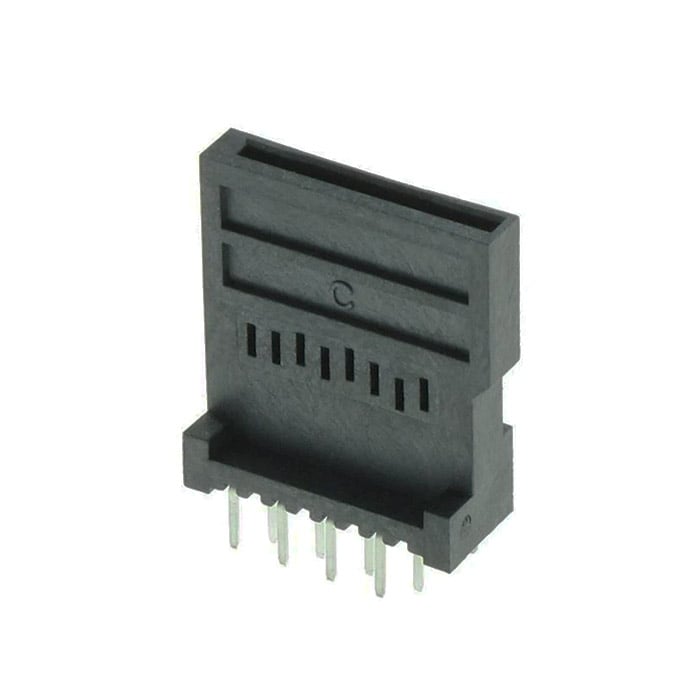
Creates a SD control with name
sdmmc,Sets the control position on the front panel,
Sets the optional label for the control, using its default theme positioning,
Sets the optional physical board pins to use. If not set, the system will choose it automatically.
Yamaichi Micro SD Card holder photo is from the Thonk shop.
erbb
module Example {
    define erb_USE_FATFS=1          // 1.
}
Add FatFs build dependency, which is required to use with SD card readers.
c++
SdMmc is a type that abstracts a SD Card reader block.
struct Example
{
   ExampleUi ui;

   void init () {
      // 1.
      auto status = ui.sdmmc.mount ("/", erb::SdMmc::MountOption::Immediate);
   }

   void idle () {
#if defined (erb_TARGET_DAISY)
      static __attribute__((section(".text"))) erb::SdMmc::File file;   // 2.
#else
      erb::SdMmc::File file;
#endif

      file.open ("/test.txt", "w");
   }
}
Error checking was removed for readability.
Mounts the SD card at
/,Create a file object for later open. The file needs to be stored in the
.textsection.
erbui Control Reference
control definition
control <name> SdMmc { ... }
Where <name> is the name of the control.
More details can be found in control documentation.
position property
position <x>, <y>
Sets the position of the control, where the axis origin is the top-left corner.
The x axis is oriented from left to right, and the y axis is oriented from top to bottom.
The position component values are expressed with their unit, either mm or hp.
Example:
position 2hp, 15mm
More details can be found in position documentation.
label optional property
label "<text>"
Where <text> is the text displayed.
More details can be found in label documentation.
rotation optional property
rotation <angle>
Where <angle> is the angle to rotate the element.
The rotation value only supports quarter turns, so that <angle> can only be a multiple of 90.
<angle> supported units are:
°ccw(Counter Clockwise),°ccw(Clockwise),°(Clockwise, as the position y-axis goes from top to bottom).
More details can be found in rotation documentation.
c++ Member Functions Synopsys
Eurorack-blocks provides a thin wrapper on top of FatFs.
Name |
Synopsys |
|---|---|
|
Mounts the filesystem |
|
Unmounts the filesystem |
|
Opens a file |
|
Closes a file |
|
Seeks into a file |
|
Reads from a file |
|
Returns the size of a file |
|
Opens a directory |
|
Closes a directory |
|
Reads a directory item |
c++ Member Functions
mount
Status mount (const char * path_0, MountOption option);
Mounts the filesystem at path_0 using option, one of:
MountOption::Defer: mounts filesystem later, on first read/write operationMountOption::Immediate: mounts filesystem immediately
Returns the status of the operation, Status::Ok on success.
See FatFs reference return codes for details.
unmount
Status unmount (const char * path_0);
Unmounts the filesystem at path_0.
Returns the status of the operation, Status::Ok on success.
See FatFs reference return codes for details.
File::open
Status File::open (const char * path_0, const char * mode_0);
Opens the file at path_0 with POSIX mode mode_0.
Returns the status of the operation, Status::Ok on success.
See FatFs reference return codes for details.
File::close
Status File::close ();
Closes the file.
Returns the status of the operation, Status::Ok on success.
See FatFs reference return codes for details.
File::seek
Status File::seek (std::size_t offset);
Seeks absolutely into an opened file. offset represents the number of bytes
from the beginning of the file. In particular, relative seeking is not supported.
Returns the status of the operation, Status::Ok on success.
See FatFs reference return codes for details.
File::read
Status File::read (const void * buf, std::size_t & size);
Reads at maximum size bytes from the opened file and store them to buf.
On success, size represents the number of effective read bytes.
Returns the status of the operation, Status::Ok on success.
See FatFs reference return codes for details.
Directory::open
Status Directory::open (const char * path_0);
Opens the directory at path_0.
Returns the status of the operation, Status::Ok on success.
See FatFs reference return codes for details.
Directory::close
Status Directory::close ();
Closes the directory.
Returns the status of the operation, Status::Ok on success.
See FatFs reference return codes for details.
Directory::read
Status Directory::read (FileInfo & file_info);
Reads a directory item.
On success, file_info contains the metadata of the file such as its name and
file system properties (hidden, directory, etc.)
The function is typically called multiple times to iterate over all the items
of a directory. When the end is reached, file_info.name_0 is \0.
Returns the status of the operation, Status::Ok on success.
See FatFs reference return codes for details.